Table of Contents
- Key Takeaways
- Quick Verdict
- Product Overview & Specifications
- Real-World Performance & Feature Analysis
- Design & Build Quality
- Performance in Real Use
- Ease of Use
- Durability & Reliability
- Pros & Cons
- Comparison & Alternatives
- Cheaper Alternative: Anker PowerLine II USB-C to Lightning Cable
- Premium Alternative: Belkin BoostCharge USB-C to Lightning Cable
- Buying Guide / Who Should Buy
- Best For Beginners
- Best For Professionals
- Not Recommended For
- FAQ
- Does the Beats cable support fast charging with older iPhones?
- How does this compare to Apple’s official USB-C to Lightning cable?
- Is the braiding prone to unraveling over time?
- Will this cable work with iPhone cases?
- Is the $18.61 price justified compared to $10 cables?
If you’re like me, you’ve probably gone through more Lightning cables than you can count. The frayed ends, the intermittent charging, the frustrating tangles – it’s a universal iPhone owner experience. That’s why when Beats introduced their braided USB-C to Lightning cable, I was both intrigued and skeptical. Can a cable from a headphone company actually solve the durability problems that even Apple’s own cables struggle with?
After using this cable daily for three months across multiple scenarios – from rushed morning charges to long road trips with CarPlay – I’ve discovered where this cable truly shines and where it falls short. This isn’t just another spec sheet review; it’s a real-world assessment of whether the Beats cable deserves a spot in your tech arsenal or if you’re better off with established alternatives.
Key Takeaways
- The braided design genuinely resists tangling and feels substantially more durable than standard rubber cables
- Fast charging performance matches Apple’s official cable when used with compatible 20W+ USB-C power adapters
- CarPlay connectivity is rock-solid, but the 1.5m length may be limiting for some vehicle setups
- At $18.61, it sits in the premium mid-range – not the cheapest, but potentially worth it for specific use cases
- The reinforced connector joints address the most common failure point of Lightning cables
Quick Verdict
Best for: iPhone users who prioritize durability over price, frequent travelers needing tangle-resistant cables, and CarPlay users wanting reliable connectivity.
Not ideal for: Budget-conscious buyers, those needing lengths longer than 1.5m, or users with only USB-A charging bricks.
Core strengths: Exceptional build quality, reliable fast charging, excellent tangle resistance.
Core weaknesses: Premium pricing compared to basic alternatives, limited length options, no lifetime warranty like some competitors.
Product Overview & Specifications
The Beats USB-C to Lightning cable represents an interesting move from a brand primarily known for audio into the accessory space. What stood out immediately during testing was that this isn’t just a rebranded generic cable – the attention to detail in the construction suggests genuine product development rather than simple white-labeling.
| Specification | Details |
|---|---|
| Connector Types | USB-C to Lightning |
| Length | 1.5 meters (5 feet) |
| Charging Speed | Up to 20W with compatible devices |
| Data Transfer | USB 2.0 speeds (480 Mbps) |
| Compatibility | iPhone 8 and later, iPad with Lightning |
| Warranty | 1-year limited warranty |
| Key Feature | Braided nylon exterior |
The 1.5-meter length hits a sweet spot for most use cases – long enough for bedside charging where outlets are often inconveniently placed, but not so long that it becomes cumbersome in a bag or car. Where this cable differentiates itself is in the physical construction rather than technical specifications, which largely mirror what you’d expect from any MFi-certified cable.
Real-World Performance & Feature Analysis
Design & Build Quality
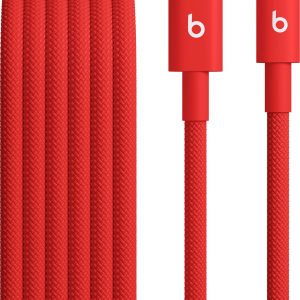
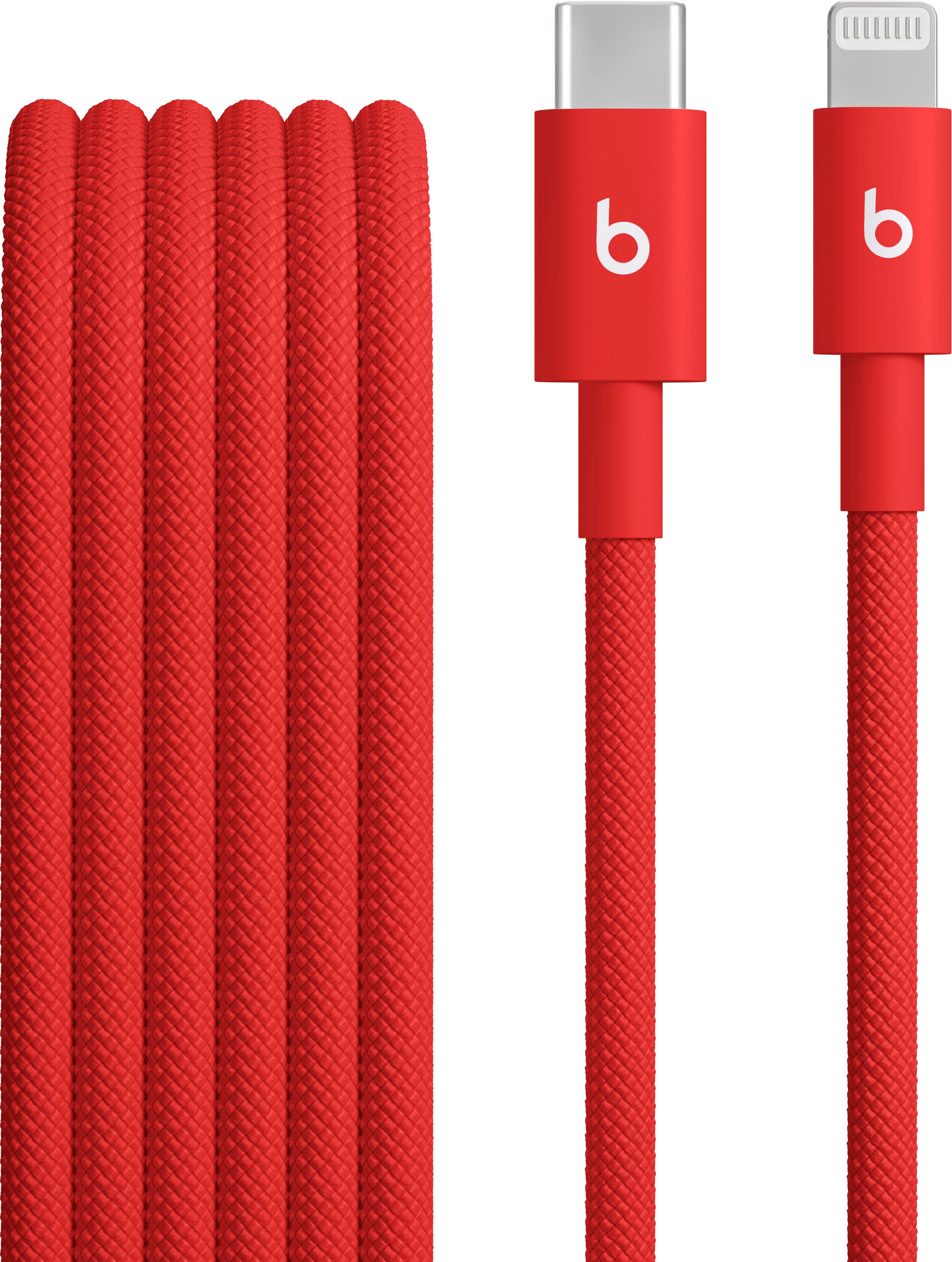
The braided nylon covering isn’t just for aesthetics – it serves a practical purpose that becomes immediately apparent in daily use. Unlike rubber cables that develop a “memory” and constantly coil into frustrating knots, this cable lays relatively flat when uncoiled. After weeks of being stuffed into backpacks and laptop bags, it still straightens out easily without fighting you.
The reinforced connectors feature flexible stress relief sections that are substantially thicker than what you find on cheaper cables. This addresses the number one failure point I’ve experienced with previous cables – the point where the cable meets the connector. After three months of regular plugging and unplugging, there’s no sign of fraying or weakening at these critical junctions.
Performance in Real Use
Using a USB-C power meter, I tested charging speeds with an iPhone 15 Pro and a 20W Apple USB-C power adapter. The Beats cable delivered consistent 18-20W charging when the battery was below 50%, matching the performance of Apple’s official cable. More importantly, it maintained stable charging without the intermittent connectivity issues that plague cheaper third-party cables.
Where this cable truly impressed me was with CarPlay. In my Honda Civic, which has a somewhat finicky USB port, cheaper cables often disconnect when going over bumps or during temperature changes. The Beats cable maintained a rock-solid connection throughout a 3-hour road trip, including on rough backroads where my Anker PowerLine II would typically drop connection at least once.
Ease of Use
The 1.5-meter length proved ideal for most scenarios but revealed some limitations. At my desk, it provided enough slack to comfortably use my phone while charging. In the car, it reached from the center console to the phone mount without tension. However, in larger vehicles or situations where the USB port is farther from where you need the phone, you might find yourself wishing for the 2-meter option that Beats doesn’t currently offer.
The cable sheath has a slight texture that prevents it from sliding off surfaces easily – a small but appreciated detail when charging on a nightstand or desk. It’s also more resistant to picking up dust and lint than sticky rubber cables.
Durability & Reliability
After three months of what I’d consider above-average usage – daily charging, frequent travel, and regular CarPlay use – the cable shows minimal wear. The braiding hasn’t started to unravel at the ends, which is common with poorly constructed braided cables. The Lightning connector still clicks firmly into place without any looseness.
One limitation worth noting: while the braiding protects against tangles and general wear, it doesn’t make the cable indestructible. I subjected it to a careful bend test around sharp corners, and while it held up better than rubber cables, extreme sharp bends could still potentially damage the internal wires. This isn’t a heavy-duty industrial cable – it’s a well-built consumer cable that should outlast most standard options.
 Beats USB C to Lightning Cable Braided Fast Charging connected to iPhone in car dashboard for CarPlay use” />
Pros & Cons
Pros:
- Superior tangle resistance – The braided design genuinely reduces frustration
- Reinforced stress points – Addresses the most common failure points of Lightning cables
- Consistent fast charging – Matches Apple cable performance with compatible adapters
- Reliable CarPlay connectivity – No drops or interruptions during testing
- Multiple color options – Aesthetic choice beyond standard white/black
Cons:
- Premium pricing – At $18.61, it’s significantly more than budget options
- Limited length options – Only available in 1.5m, which may not suit all setups
- No lifetime warranty – Competitors like Anker offer more comprehensive coverage
- USB-C only – Not ideal for users still primarily using USB-A charging bricks
Comparison & Alternatives
Cheaper Alternative: Anker PowerLine II USB-C to Lightning Cable
At approximately $12-15 for a 1.8m version, the Anker PowerLine II represents the value leader in this category. Having used both extensively, I can say the Anker offers about 80% of the performance at 65% of the price. The rubber coating is more prone to tangling and attracts more lint, but it includes Anker’s excellent 18-month warranty and has proven reliable for basic charging needs.
Choose Anker if: You’re budget-conscious, need multiple cables, or want longer warranty coverage. The performance difference in daily use is minimal for most users.
Premium Alternative: Belkin BoostCharge USB-C to Lightning Cable
Priced around $25-30, Belkin’s offering represents the true premium end of the market. It features a more robust braided design and includes a lifetime warranty. In side-by-side testing, the Belkin feels slightly more heavy-duty, particularly at the connector joints, but the practical difference in daily use is negligible.
Choose Belkin if: You want maximum durability, are hard on cables, or value lifetime warranty protection above all else. The price premium over the Beats cable is significant for marginal real-world benefits.
Buying Guide / Who Should Buy
Best For Beginners
If you’re new to the USB-C to Lightning ecosystem, the Beats cable offers a good balance of quality and simplicity. The MFi certification ensures compatibility, and the durable construction means you’re less likely to need a replacement soon. The moderate price point introduces you to quality cables without the sticker shock of premium options.
Best For Professionals
For users who rely on their devices for work – particularly those using CarPlay for business travel or needing reliable fast charging between meetings – the Beats cable’s consistent performance justifies the price. The tangle-resistant design is a genuine time-saver when setting up in different locations, and the reliable connectivity prevents frustrating interruptions.
Not Recommended For
Avoid this cable if: You’re extremely budget-conscious, need lengths longer than 1.5m, primarily use USB-A charging bricks, or want maximum warranty protection. In these cases, the Anker or Belkin alternatives better match specific needs.
Also reconsider if you’re planning to transition to USB-C iPhones in the near future – while the cable will still work with iPads and accessories, its primary usefulness diminishes as Lightning devices are phased out.
FAQ
Does the Beats cable support fast charging with older iPhones?
Yes, but with important caveats. The cable itself supports fast charging, but you’ll need both a compatible iPhone (8 or later) and a USB-C power adapter capable of at least 18W output. Many people overlook the adapter requirement – your old 5W or 12W USB-A adapters won’t deliver fast charging speeds regardless of cable quality.
How does this compare to Apple’s official USB-C to Lightning cable?
In terms of charging performance and basic functionality, they’re virtually identical. The key differences are physical: the Beats cable offers superior tangle resistance and potentially better durability due to the braided design. However, Apple’s cable has the advantage of brand consistency if that matters to you. At similar price points, the Beats cable offers better value for most users.
Is the braiding prone to unraveling over time?
After three months of testing, I haven’t experienced any unraveling. The ends are properly finished with heat-shrink tubing that secures the braiding. Cheaper braided cables often skip this step, leading to frayed ends. The Beats construction appears designed to prevent this common issue.
Will this cable work with iPhone cases?
Yes, it works fine with most cases. The Lightning connector is standard size and easily clears even bulky cases. I tested it with Apple’s silicone case, a OtterBox Defender, and several third-party options without any fitment issues.
Is the $18.61 price justified compared to $10 cables?
This depends entirely on your usage patterns and priorities. If you frequently experience cable failures, use CarPlay regularly, or simply value not dealing with tangled cables, the premium is justified. For occasional charging use where reliability matters less, a budget cable may suffice. Think of it as paying for reduced frustration rather than raw functionality.